When2Overlap guide — choose and share a meeting time across time zones
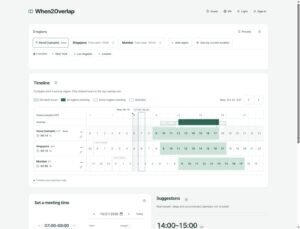
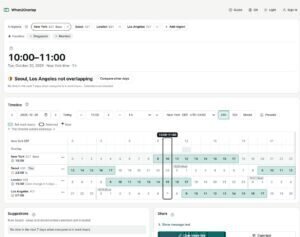
From adding regions to sharing options: how When2Overlap shows current location, the timeline, verdicts, suggestions and the 7-day comparison, using the October 2026 interface.
Browser tools and guides to using them.
From adding regions to sharing options: how When2Overlap shows current location, the timeline, verdicts, suggestions and the 7-day comparison, using the October 2026 interface.
When2Overlap, World Time Buddy, Every Time Zone and the Time and Date Meeting Planner compared on suggestions, custom work hours, overlap, DST and sharing. Re-checked October 16, 2026.
Instead of announcing a single time, send a few options for participants to compare. The Share section in When2Overlap collects up to three options and sends them as a link or text with each region's local time.
Compare regional work hours, review suggestion reasons and share candidate times for a recurring team meeting. Confirm availability separately; presets reduce repeated setup.
Compare work-hour overlap across regions, read the verdict and suggestions, and share up to three meeting options in one link.
See each city's current time and the meeting time separately, with date-specific offsets, daylight-saving changes and work-hour overlap.
Compare local meeting times and work hours across regions, review rule-based suggestions, and share up to three candidates. Personal calendar checks require a separate connection.
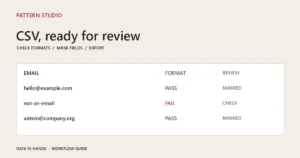
Turn a messy member CSV into a reviewable handoff. Start with two synthetic rows, check the mapped columns, and choose the right export.
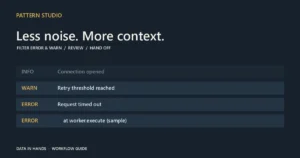
Prepare a focused log handoff instead of forwarding an entire file. Follow a sample through filtering, stack inspection, masking and export.
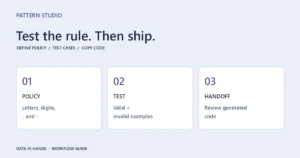
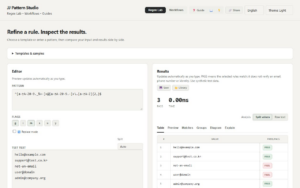
A regex from an AI or a search result still needs a test. Define accepted and rejected inputs, inspect the output, and verify the rule in your application.
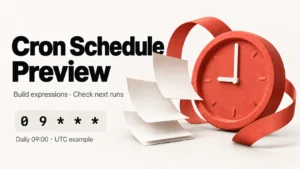
This Cron tool parses 5/6-field cron expressions and lists upcoming run times in a clean table. You can paste a full crontab line, view the extracted command, run simulations (e.g., change frequency), and copy the updated cron expression.
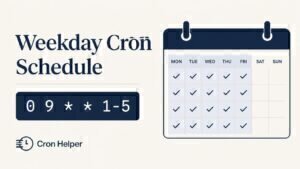
Start with a weekday schedule, then check the dates and timezone before handing the expression to your server configuration.
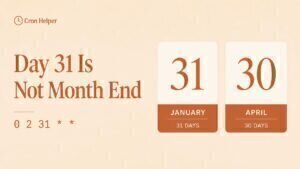
An inherited job says month end, but the expression says day 31. Preview the dates before treating a missing run as an outage.
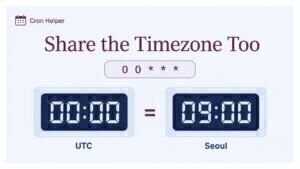
The same midnight expression can describe different moments. Make the timezone explicit before handing a schedule to another team.