This is a guide to Pattern Studio, an app I develop and operate.
Someone asks for logs, so you send the entire file. The recipient still has to find the useful lines among INFO messages. If an exception’s stack trace gets separated from its first line, the handoff becomes harder to read.
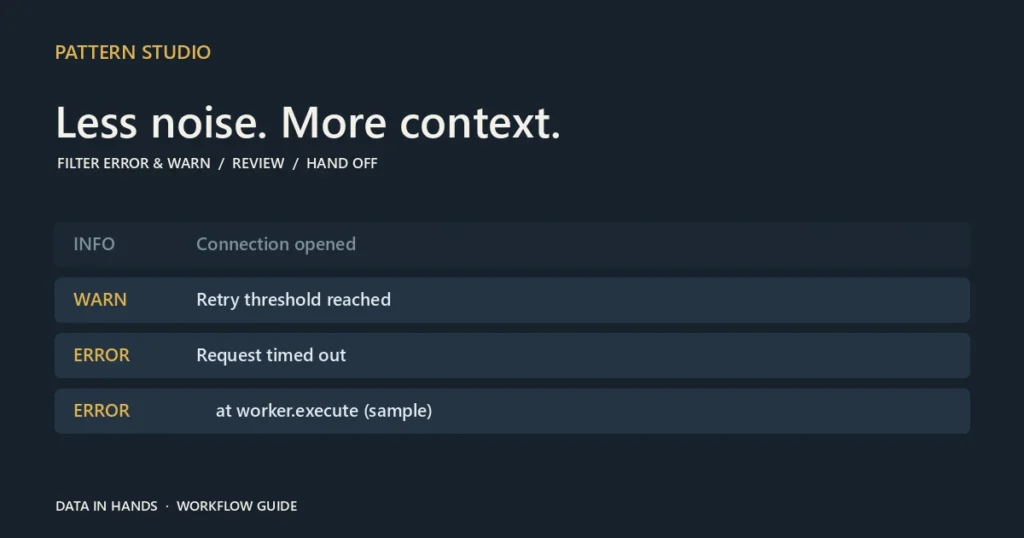
Pattern Studio’s Extract ERROR/WARN from logs workflow helps prepare a focused review. Paste text or choose a .log or .txt file, set the extraction rules, and inspect the result before copying or downloading it.
A handoff tool for developers and service operators
The goal is to narrow the material someone needs to inspect, not to diagnose an incident automatically. An ERROR line is not necessarily the root cause, and an absence of ERROR lines does not prove that a service is healthy.
Learn the extraction boundary with a sample
Open Pattern Studio, choose Workflows, then the log extraction workflow. Start with the built-in Node.js sample. It contains INFO, WARN, ERROR and continuation lines from a stack trace. For a smaller synthetic file, use:
2026-10-17 INFO synthetic start
2026-10-17 WARN synthetic warning
2026-10-17 ERROR synthetic failure
To try the file picker, save those lines as UTF-8 text and choose the file. Learning the flow with synthetic content is useful because real application logs can contain tokens, internal addresses and other sensitive values.
Select levels and review stack grouping
On the settings step, choose ERROR + WARN or ERROR only. Include and exclude keywords and custom rules are available when the preset is not enough. If you narrow the rule to ERROR only, check that WARN records disappear as expected. When the output is surprising, compare the source and the rule before drawing conclusions.
Stack grouping can keep continuation lines with the error they follow. Check the selected record’s detail rather than assuming every log format will group exactly as intended. A record can span several source lines, which is why total lines and extracted records need not be equal.

Inspect Raw or Masked before exporting
Switch between Table and Preview, and select a row to read its detail. If masking is enabled, inspect what remains visible. Copy and export follow the currently selected Raw or Masked preview. That choice matters when you prepare a file for someone else.
TXT is useful for reading extracted text with its stack lines. CSV exposes fields such as level, time and message for tabular review. Copy and Copy selected let you choose the scope of a text handoff. Neither export replaces a complete incident record or the original source log.
Review the file before sharing it
The extraction and masking workflow runs in the browser. General masking rules do not remove every API key, session token or internal identifier. Inspect the exported material and follow your organization’s sharing rules. Sending content to Regex Lab or creating a share link can also carry input forward; a share link is not a redaction method.
Try the sample with both extraction presets. For your next handoff, you can prepare a smaller set of evidence and explain the rule used to select it.