A high GoldenGate checkpoint lag is a reason to investigate before restarting Extract. Compare the lag recorded at the last checkpoint with the lag reported by the running process. If they differ sharply, check the transactions Extract is tracking and the redo it would need for recovery.
In an August 10, 2025 incident, five Extract groups showed 3 hours and 30 minutes of checkpoint lag while GETLAG reported 1 second. This article walks through the investigation and the results recorded after a restart.
The explanation and commands were reviewed against Oracle’s public documentation on November 4, 2026. The original notes do not identify the exact GoldenGate and database versions or patch levels, so this is not a confirmed account of a particular product bug or fix. Command references use GoldenGate 26 documentation; database queries use Oracle Database 19c references. Check your installed version and Extract mode before applying them.
Compare checkpoint lag with GETLAG first
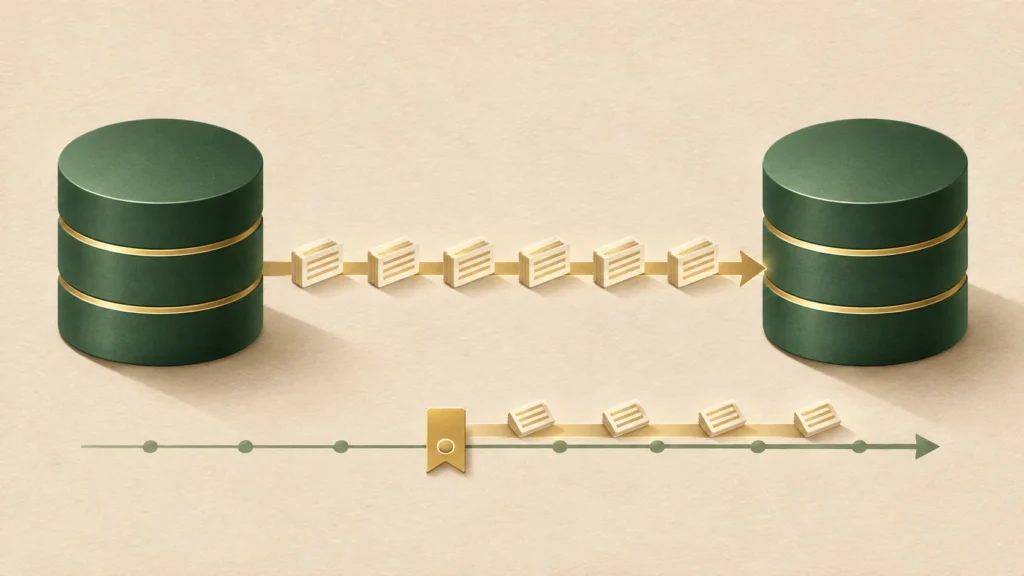
Extract reads source database changes and writes them to trail files for replication. Checkpoints retain processing positions and state needed to restart. A lag value saved at a checkpoint can therefore differ from a value returned by the running Extract.
On a small screen, scroll the diagram sideways or open the full-size image.
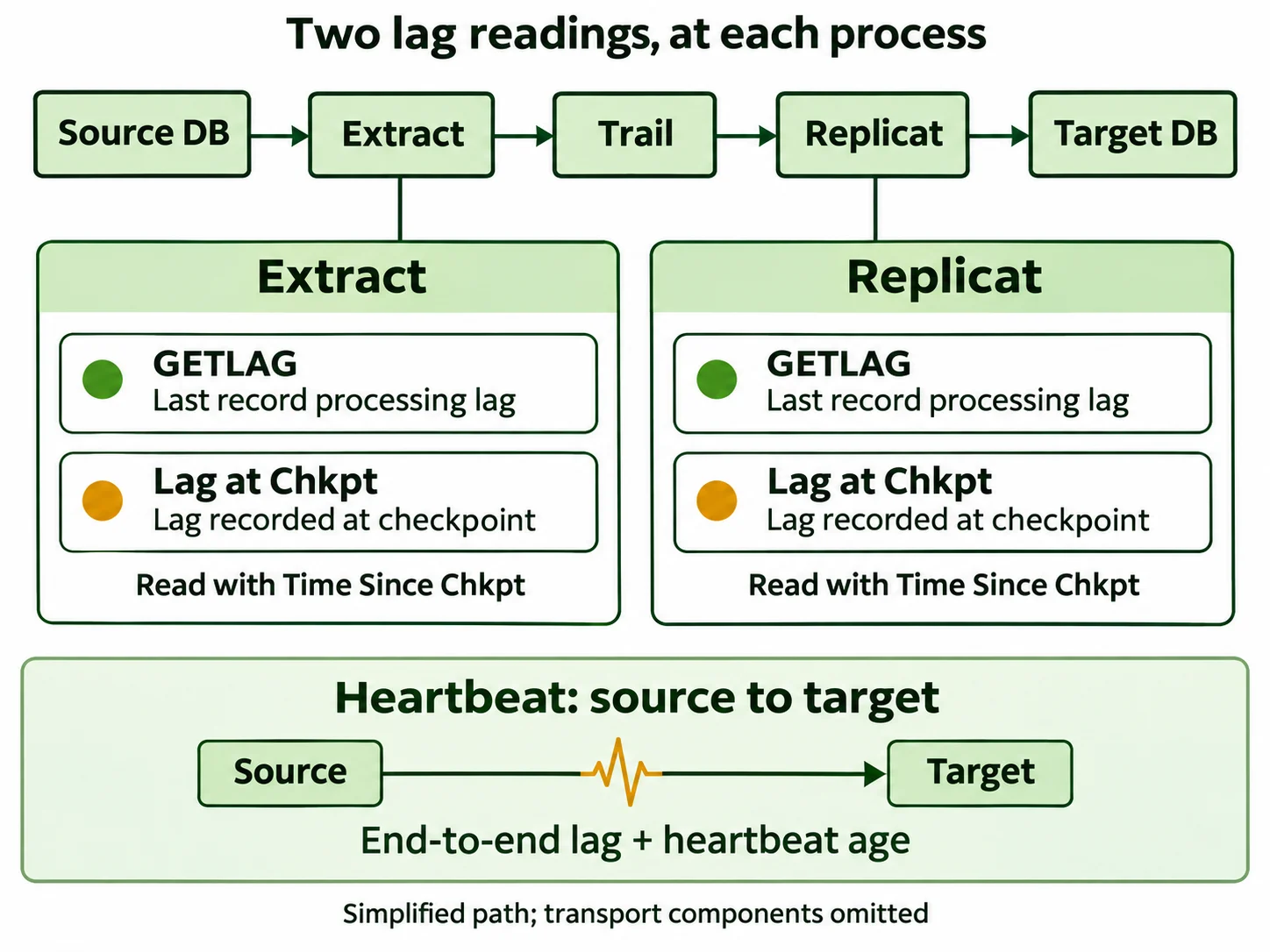
Lag at Chkpt is the processing lag recorded at the last checkpoint. Time Since Chkpt is the time elapsed since that checkpoint was updated. They measure different things. Oracle INFO EXTRACT reference
The incident notes contained these values from INFO ALL:
Program  Status   Group     Lag at Chkpt  Time Since Chkpt
EXTRACT  RUNNING  01CD086E  03:30:00      00:00:00
EXTRACT  RUNNING  01CS087E  03:30:00      00:00:00
EXTRACT  RUNNING  01MD088E  03:30:00      00:00:00
EXTRACT  RUNNING  01SD085E  03:30:00      00:00:00
EXTRACT  RUNNING  01SS084E  03:30:00      00:00:00
A query to the running process returned a different value:
GGSCI> SEND EXTRACT 01SS084E, GETLAG
Last record lag 1 seconds.
GETLAG reports record processing lag directly from Extract: the difference between a source record’s timestamp and when Extract processed it. One second here does not mean the change reached the target database within one second. Replicat, which applies changes to the target, and the intervening transport still need checking. Oracle LAG EXTRACT reference
In this case, the checkpoint had been updated recently, but the lag saved in it was high. The output did not show that the checkpoint file had gone untouched for 3 hours and 30 minutes. The next step was to collect the measurements together over time and check whether the read position was advancing.
Why the readings can differ—and what remains unproven
GETLAG asks the running process for its last record processing lag. INFO reports the lag recorded at the last checkpoint. These readings refer to different moments. In Oracle’s example, a checkpoint written at 14:59 with a last processed record timestamp of 14:58 reports one minute of lag, even when queried at 15:00.
That timing difference alone does not explain this incident: Time Since Chkpt 00:00:00 showed a recent update. One hypothesis worth testing is that a tracked transaction kept a recovery position in an older log range. The SHOWTRANS time of 04:12:58 and the recovery read timestamp of 04:13:26 are close, but they do not prove that checkpoint lag was calculated from that recovery position. The latter was observed during recovery; it is not necessarily the initial recovery position.
To test the hypothesis, collect these outputs together with the collection time and time zone. Compare the current read/write and recovery positions exposed by the installed version and mode, including timestamps, sequences, RBAs or SCNs. The original notes lack SHOWCH output and an exact collection time, so they do not support reconstructing the 3-hour-30-minute value by subtraction.
INFO EXTRACT <group_name>, SHOWCH
SEND EXTRACT <group_name>, GETLAG
These are collection steps for a future investigation, not commands with recorded results from this incident. Oracle checkpoint lag and SHOWCH reference
Check the XIDs Extract has been tracking
A transaction groups changes into a unit of work; its XID identifies it. Looking at older transactions helps narrow down what Extract is still tracking.
This excerpt comes from the original incident notes. Replace the group name and XID with values from your own environment when investigating.
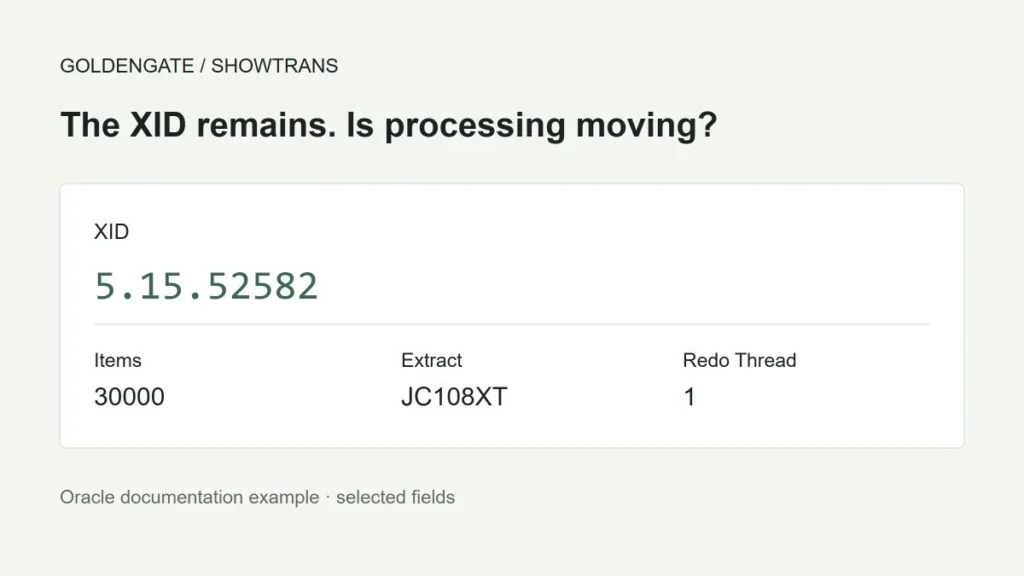
GGSCI> SEND EXTRACT 01SS084E, SHOWTRANS DURATION 240 MIN
XID:         14.15.4795600
Items:       0
Extract:     01SS084E
Redo Thread: 1
Start Time:  2025-08-10:04:12:58
Redo Seq:    74849
Redo RBA:    42582120
Status:      Running
DURATION 240 MIN filters for older transactions. Start Time refers to the first operation GoldenGate extracted for that transaction, not necessarily when the database transaction began. Items: 0 does not establish that the transaction has ended. Oracle SHOWTRANS field reference
The same XID appeared in all five Extract groups. That was a useful lead, but it did not establish that an index rebuild or a particular internal GoldenGate state caused the lag.
Check the query scope before interpreting an empty result
Next, compare the XID with the database’s active transactions. V$TRANSACTION lists transactions active at the time of the query. The following lookup returned no matching row during the incident:
SELECT xidusn, xidslot, xidsqn, start_time
FROM v$transaction
WHERE xidusn = 14 AND xidslot = 15 AND xidsqn = 4795600;
An empty result does not prove that the transaction committed and GoldenGate retained it incorrectly. Check the instance, container, and query time, then compare the database’s current state with the redo position Extract is reading. Oracle V$TRANSACTION reference
On RAC, a query against one instance’s V$ view is not enough to cover the other instances. With the appropriate privileges and container scope, use GV$ to distinguish them:
SELECT inst_id, con_id, xidusn, xidslot, xidsqn, start_time
FROM gv$transaction
WHERE xidusn = 14 AND xidslot = 15 AND xidsqn = 4795600;
INST_ID identifies the instance. In a CDB/PDB environment, also check which containers the session and its privileges allow you to see. Oracle RAC performance views
If the transaction is active, identify the work behind it and check its progress. If it is absent, record the query scope and continue with Extract reports, redo positions, and the maintenance history for that period.
Check the capture mode before choosing the next diagnostic
Classic capture versus Integrated capture is a different distinction from Classic Architecture versus Microservices Architecture. Establish the capture mode from the reports and configuration. For Integrated Extract, also inspect the database capture and outbound components. V$GOLDENGATE_TRANSACTION shows transactions whose captured logical change records (LCRs) these components are processing. Its scope differs from the currently active transactions in V$TRANSACTION. On RAC, check the instance scope of the corresponding GV$ view. This view does not include every transaction in redo, so an empty result is not conclusive. Oracle view reference
For recovery, check the Bounded Recovery (BR) settings and reports applicable to the installed version and mode. BR uses saved transaction state to reduce the need to reread older redo. Do not assume it is exclusive to Classic capture or change its settings as a diagnostic shortcut. The incident notes do not establish whether BR was used. BR scope and settings
Treat overlapping maintenance as a lead, not proof
The notes record online index rebuilds starting at 04:00 with NOLOGGING PARALLEL 14. Their timing was close to the 04:12:58 value in SHOWTRANS, which made them worth investigating.
That timing alone does not establish causation. The remaining evidence cannot confirm that the rebuilds directly caused the checkpoint lag or that a specific bug or internal state was involved. The lower lag after restarting does not prove that explanation either.
Where ASH is available, correlate the XID, SQL_ID, instance, session ID, and serial number with the work history. SAMPLE_TIME is a sampling timestamp, not a login timestamp. Oracle ASH column reference
Check your Diagnostics Pack entitlement before accessing ASH or AWR. If it is unavailable, start with Extract reports, database job logs, and application records. This review used public documentation; it did not verify a specific bug or patch against restricted My Oracle Support material. Oracle licensing information
Confirm that recovery redo is available before restarting
Recovering the state of an older transaction may require rereading older redo. Whether BR is used affects the required log range and recovery time, so check both the recovery position and log retention before restarting. Recovery can fail if the required redo has been deleted or cannot be read. Before trying to reduce the lag value, establish whether the logs needed for recovery are available.
The investigation included thread 1, sequence 74849. This example lists archive records for that range:
SELECT thread#, sequence#, resetlogs_id, name,
       first_time, next_time, status, deleted
FROM v$archived_log
WHERE thread# = 1 AND sequence# >= 74849
ORDER BY resetlogs_id, sequence#, recid;
A row in the view does not guarantee that the file is readable. Check the database incarnation, sequence continuity, file paths, and access permissions. On RAC, cover every redo thread required for recovery. This query by itself is not a restart readiness check. Oracle V$ARCHIVED_LOG reference
The notes say archives were retained back to August 5. Age alone does not establish coverage: the required logs must be available from Extract’s recovery starting point onward.
Before a restart, preserve the current parameters, checkpoints, reports, and log positions. Assess the backlog that will build during the interruption and allow for recovery time. If required logs are missing or the recovery procedure is unclear, resolve those gaps before stopping Extract.
Separate the recorded restart from a recommended procedure
During this incident, the Extract groups were forcibly stopped and restarted one at a time. That is a record of what happened, not a default response to this combination of lag values.
When a restart is justified, consider a graceful STOP EXTRACT <group_name> first. Confirm the stopped state and review the messages before starting under the approved operating procedure. A fixed 10–20-second wait is not a substitute for that check. Oracle STOP EXTRACT reference
The original SEND EXTRACT <group_name>, FORCESTOP command stops the process immediately. If a graceful stop is not possible, assess the cause and recovery implications before forcing it. Skipping transactions or moving checkpoints forward to make lag disappear is outside this procedure.
After the restart, the notes show Extract in recovery:
GGSCI> SEND EXTRACT 01CD086E, STATUS
Current status: In recovery[1]: Processing data
Current read position:
Redo thread #: 1
Sequence #: 74851
RBA: 271748752
Timestamp: 2025-08-10 04:13:26.000000
Recovery took about 15–20 minutes per Extract in this incident. Rather than expecting the same duration elsewhere, check whether the read position advances and whether new errors appear. If progress stops, preserve the evidence and investigate the logs and errors instead of repeatedly restarting. Oracle monitoring guide
The recorded checks after recovery were:
GGSCI> SEND EXTRACT 01CD086E, SHOWTRANS DURATION 240 MIN
No transactions found.
GGSCI> INFO EXTRACT 01CD086E
Checkpoint Lag 00:00:02 (updated 00:00:01 ago)
The observed checkpoint lag fell from 3 hours and 30 minutes to 2 seconds. The empty SHOWTRANS result means no transactions matched that duration filter. To establish that target delivery is healthy, also check Replicat, transport backlog, and actual data or an already configured heartbeat.
Keep the evidence needed for the next investigation
Record the collection time and time zone, GoldenGate version and patches, Extract mode, lag values, XIDs, redo positions, and concurrent maintenance. Those details make a future comparison useful.
Choose maintenance parallelism and alert thresholds for the workload. Measure job duration, resource contention, and the delivery delay the service can tolerate before setting them.
- Record the collection time, time zone, versions and capture mode.
- Compare GETLAG, Lag at Chkpt, Time Since Chkpt and position changes for each process.
- Cross-check the XID, database query scope, current positions and recovery positions.
- Check required redo, BR status and interruption impact before deciding what to do.
- Afterward, verify Replicat and target data. If heartbeat monitoring is configured, check both lag and heartbeat age.
Revision notes — November 4, 2026
Removed the insufficiently supported RAW XID conversion example. Replaced the earlier PARALLEL 4–8 and 30-minute alert guidance with workload-specific decisions. Added process-level lag diagrams and steps to test the recovery-position hypothesis.