You reach your Claude usage limit and switch to another model. The project folder is the same, and the interface looks familiar—but the session you were using a moment ago is missing. Several entries point to the same project. Others show a long opening prompt instead of a recognizable name. Your first thought is: “Did I lose my work?”
That experience prompted this guide. In this particular setup, a personal bridge ran an OpenAI model through the Claude Code interface. This was not a direct conversation import into the Codex app or the official Codex CLI. The launcher, nv-codex.ps1, was a personal PowerShell script, not an official Anthropic or OpenAI command. The supplied screenshots show the confusing session lists; they do not, by themselves, establish that a usage limit was reached.
The useful starting point is simple: switching models, preserving code, and transferring conversation history are three separate tasks. Opening the same folder does not mean you have resumed the same conversation.
Check each separately before continuing.
Contents · 6 sections
The interface looks familiar. Where did the session go?
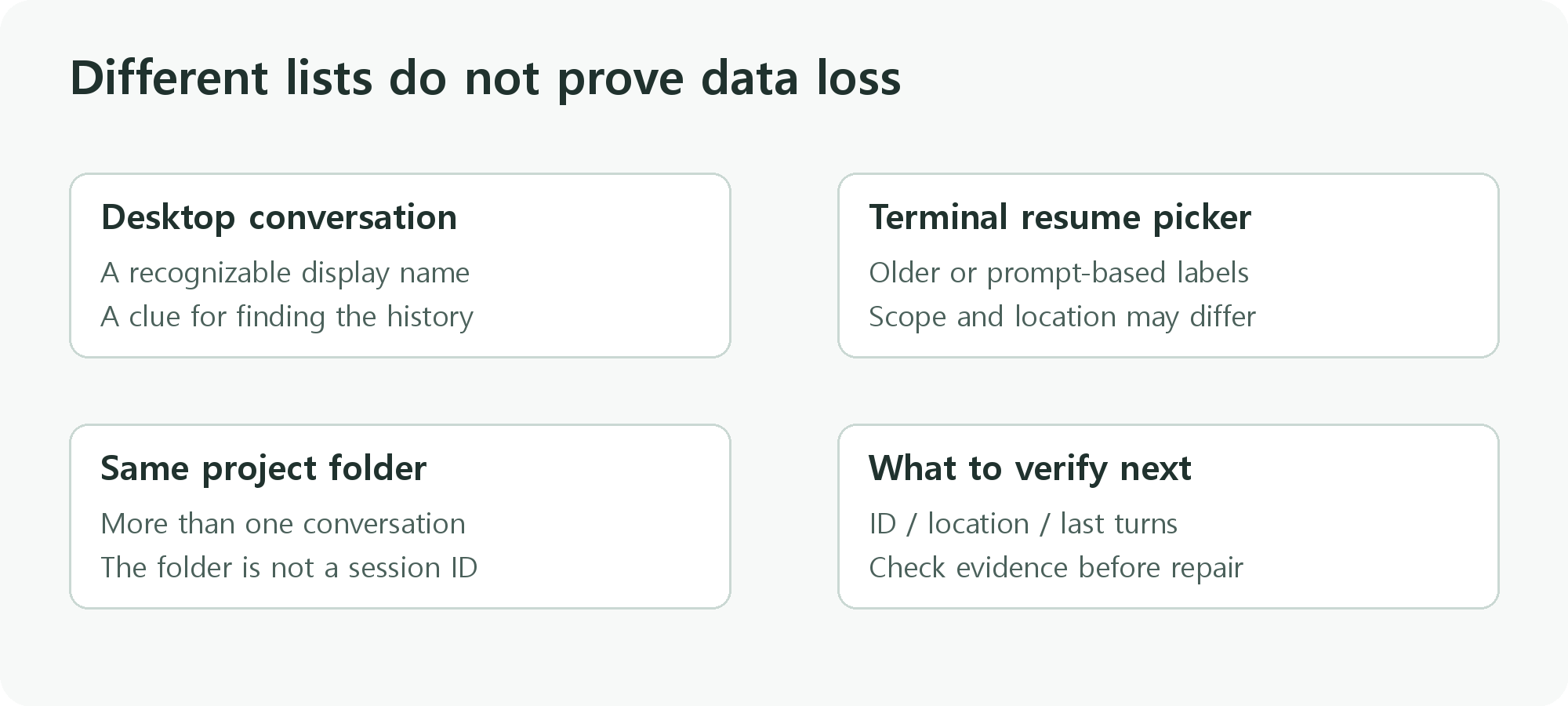
In the supplied case, a named conversation appeared in the desktop interface, while the terminal resume picker showed a different set of entries. Some were older. A newly started entry used a long first message as its label. None of this proves that the original conversation was deleted.
A session picker is not a list of every history file on your computer. What it shows can depend on the application, its history directory, the project folder, and the search or filter scope. Claude Code documents project and worktree scope in its session picker. Do not assume that the desktop interface and the CLI expose identical lists. Claude Code session documentation
The script and environment records for this case used separate history locations for ordinary Claude Code and the bridge. Searching the bridge’s directory for a name stored only in the original directory may return nothing. Ask “Which history location am I looking at?” before trying to repair anything. The visible CLAUDE.md size warning is a separate issue; the evidence does not establish it as the cause of the missing session.
Separate the session name, session ID, and project folder
| Item | What it tells you | What it does not establish |
|---|---|---|
| Session name | A human-readable clue for finding a conversation | Whether similarly named entries contain the same history |
| Session ID | An identifier for a particular history record | Whether the current runtime can find that record |
| Project folder | Where the tool reads and edits code | Which decisions, conversation, or unfinished tasks it has inherited |
| Git branch or worktree | The checkout and file-change context | The latest conversation or the state of a running process |
Two sessions can both refer to sample-project while representing different work: one might be preparing a deployment, and the other might be a fresh question. Conversely, differently labeled entries can be copies of the same history. Use the name to find candidates, then check the ID and the last conversation.
Check the code independently. The repository may be familiar while the branch, worktree, or uncommitted changes differ. A conversation saying “the fix is complete” does not prove that the files currently open contain that fix.
What changes when you use a bridge?
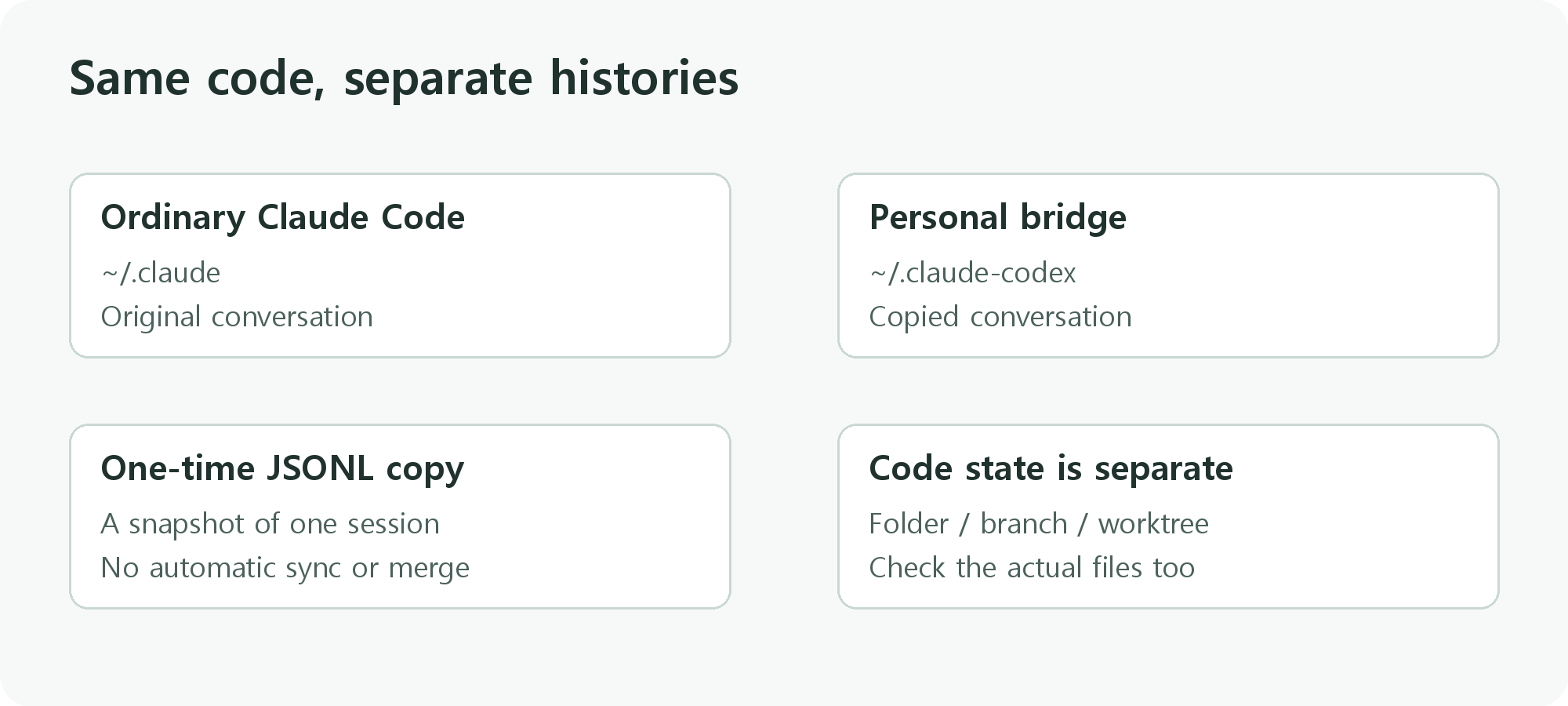
This environment used the following separation. The paths omit the individual user’s home directory.
| Item | Ordinary Claude Code | The bridge in this case |
|---|---|---|
| History location | ~/.claude |
~/.claude-codex |
| Launcher | Ordinary Claude Code | A personal script launching claude-codex |
| History transfer | Uses history in the original location | Prepares a copy of a specified session JSONL |
| Later conversation | Appended to the original side | Appended to the copy; not automatically merged |
~ means the user’s home directory. These paths describe this setup, not every bridge. Claude Code supports CLAUDE_CONFIG_DIR for changing its configuration and session-history directory. Check which directory your actual launcher uses. Claude Code environment variables
The reviewed nv-codex.ps1 searches for a JSONL file named after the supplied session ID and copies it to the bridge’s history location. If a destination copy already exists, it stops by default. A forced overwrite backs up the existing copy. After copying, the script compares file sizes.
In this personal script, -Import prepares a copy and -Resume identifies the session to resume. Supplying -Import alone also passes the copied ID as the resume target. Supplying -Resume alone does not automatically copy the original history. -Force is an overwrite choice, not a routine starting step. These are options of the reviewed personal script, not official Claude Code or Codex options.
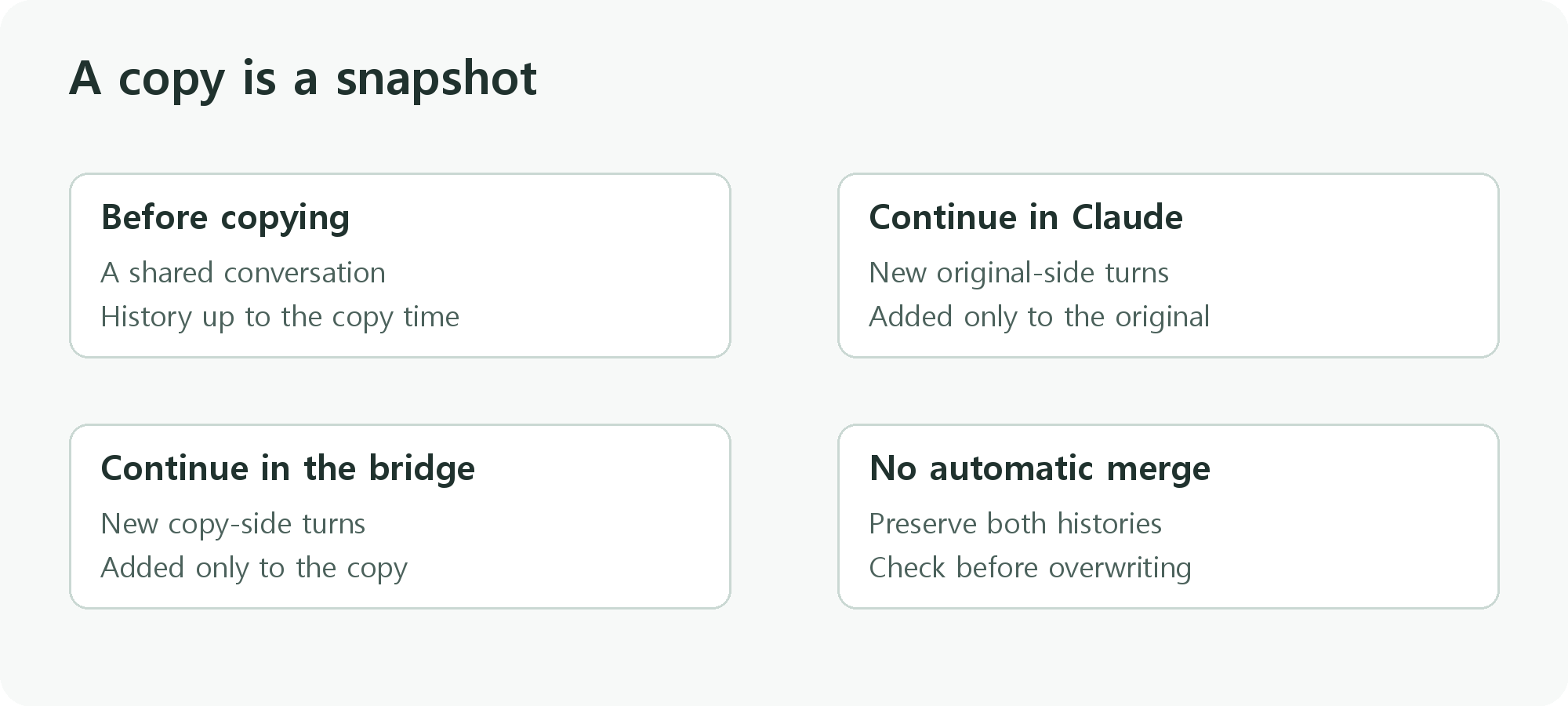
Matching file sizes do not prove matching contents or successful resumption. A separate hash comparison can check byte equality, but even that does not establish that the runtime can resume the conversation. The copy is a snapshot at a particular moment. It does not keep later conversations synchronized, and it should not be assumed to include every attachment or subordinate session.
Official Codex resumption is a separate feature
The official Codex CLI provides codex resume for previous Codex sessions. Its documentation also describes handling differences between the current working directory and the saved session’s directory. Do not interpret that command as a supported importer for Claude Code JSONL files. Codex CLI command documentation
How does the official plugin’s /codex:transfer differ?
OpenAI’s codex-plugin-cc lets Claude Code users ask Codex to review code or take on development tasks. The personal bridge in this article keeps the Claude Code interface while running an OpenAI model. The official plugin delegates to Codex through the local Codex CLI and app server on the same machine; it can also hand the conversation over to a Codex session.
For that handoff, /codex:transfer imports the Claude Code conversation into a persistent Codex session and prints a codex resume <session-id> command. The imported conversation can then be continued in the Codex app or terminal interface. Importing the Claude history and resuming the resulting Codex session are separate steps. This does not mean codex resume itself reads a copied Claude Code JSONL file.
Choose according to where you want to continue: in the Claude Code interface through a bridge, or in Codex with the conversation context carried over. The official plugin does not document /codex:transfer as continuous synchronization or automatic merging of later turns. After a transfer, compare the last messages with the actual project folder, branch, and unfinished work. The feature description in this section follows the official documentation. I subsequently tested the official plugin on Windows; the installation and code review article records those results. Session transfer exposed a Windows path-comparison error and a repeat-import failure after the histories diverged. The Windows transfer troubleshooting article covers the local changes and the successful first import and separate-session re-import. Those plugin tests do not validate the return procedure for the personal bridge described in this article. Older Codex versions may need an update to support session import.
Installation, billing, and model access are separate concerns too. Running a bridge does not transfer Claude’s usage allowance to OpenAI or remove another service’s charges. Check the actual connection and the account terms that apply to it.
Check before, during, and after the switch
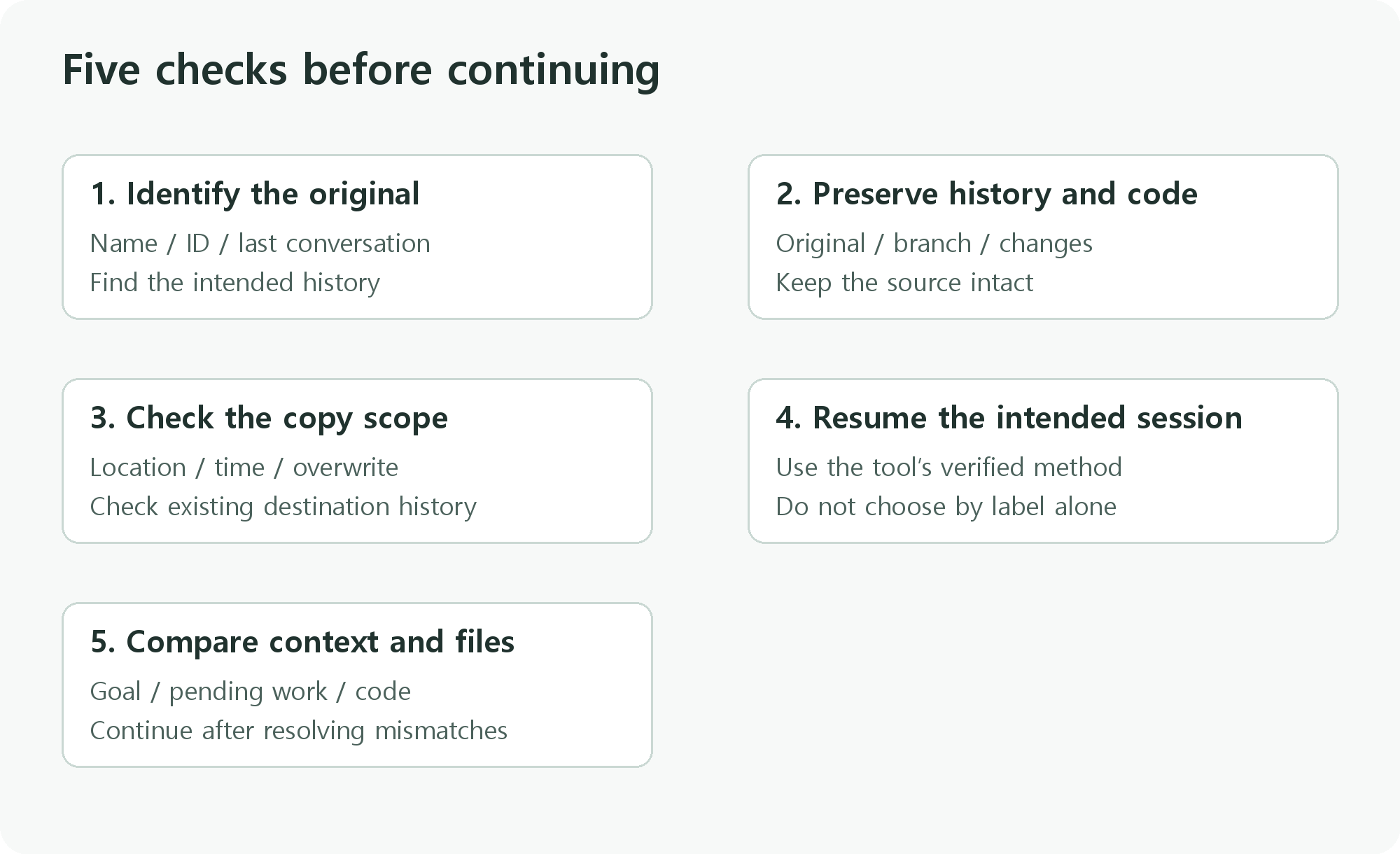
Before switching: preserve the history and code state
- Identify the original conversation by name, session ID, and last task. Check whether the desktop and CLI entries actually refer to the same history.
- Record the project folder, branch, worktree, and uncommitted changes. Note any running task separately.
- Preserve the original history and required project files. Do not move or delete the original just to prepare a copy.
- Write a handoff note so the next model can understand the current state even if the full conversation is unavailable.
During the switch: resume a specific target
- Establish whether you are using official Codex or a Claude Code bridge.
- For a bridge, check that implementation’s history location and import scope. This guide does not recommend copying an entire configuration directory.
- If a destination history already exists, compare how recent the two copies are. The destination may contain newer conversation turns; do not overwrite it blindly.
- Resume the intended session using a verified method for that tool. A similar label is not sufficient evidence.
The official ordinary Claude Code CLI supports the following resume command. This example is for ordinary Claude Code; it does not replace a bridge’s import or launch procedure.
claude --resumeIf you have verified the session ID, you can specify it explicitly. Replace SESSION_ID with the actual identifier. Do not post private session identifiers publicly.
claude --resume SESSION_IDThis article does not provide commands for downloading the personal launcher, running it, or moving credentials. It has not been verified as a general-purpose tool that readers with different installations can safely run unchanged.
After switching: compare context before assigning work
Check whether the conversation ends where you expect. First ask the new model to summarize the current goal and unfinished work, then compare that summary with your handoff note. Check the actual folder and file changes as well.
If the context differs, resolve the mismatch before asking for edits or deployment. You may have resumed the wrong session or an old copy. Resuming a conversation also does not mean that the previous process is still running. Claude Code’s documentation distinguishes conversation resumption from process state. Claude Code session documentation
A handoff note you can copy
Current goal:
Project folder and branch/worktree:
Last verified code state:
Completed work and verification:
Unfinished work:
What must not change:
Next action:

First, summarize this handoff and flag any differences from the actual files.
Do not save, deploy, or change settings until we have checked those differences.
If direct history transfer is unavailable, you can start a new conversation with this note and suitable supporting material. That supplies context to a new session; it is not a complete resumption of the original conversation.
Troubleshoot missing or similar-looking entries
| What you see | What to check first | Next step |
|---|---|---|
| Searching the name finds nothing | Application and history directory | Inspect the original and bridge lists separately. |
| Only older sessions appear | Copy timestamp and list scope | Compare the original’s last conversation with the copy. |
| The same project folder appears repeatedly | Session ID, branch, worktree, and last conversation | Do not choose by folder name alone. |
| A long sentence appears instead of a name | Conversation contents and identifier | Check whether the label is the opening prompt. |
| No match in the current branch | Search, branch, and worktree filters | Broaden the scope using that interface’s controls. |
| An explicit ID still cannot be found | Runtime history location and file presence | Check the ID spelling and location separately. |
| The conversation matches, but the code does not | Folder, branch, and uncommitted changes | Resolve the actual file state before overwriting history. |
| A resumed task has no expected output | Previous process and output files | Check process and external-task status independently. |
Use the current Claude Code interface and documentation to identify scope controls. A shortcut can mean something different in another application. In particular, showing “all projects” broadens the list within the active configuration directory; it does not import conversations from another history directory.
Returning to Claude does not merge the histories
Once you continue through the bridge, the original and the copy develop separate histories. Returning to Claude does not automatically combine them. Resuming only the original may omit work done through the bridge. Overwriting the original with the copy may remove conversation turns added on the original side.
The complete return procedure for this setup has not been verified. This guide therefore does not promise that copying the file back will restore the session. Preserve both histories first, and write a handoff covering code changes, verified results, and remaining work. Confirm any supported history-transfer procedure through the tool’s documentation and a separate test.
Check which conversation you inherited, which code you opened, and how far the work actually progressed. With those three points clear, a different-looking session list becomes much easier to navigate.
Documentation checked: October 11, 2026. Plugin test results and related reading added: October 18, 2026. The personal-bridge description is limited to the script and records reviewed for this case. Installation details, usage allowances, and model availability can vary by environment and service policy.