This is a guide to Cron Helper, a tool I develop and operate.
A client asks for a job at midnight. A colleague in Seoul expects the result in the morning. Both may be looking at the same five fields while thinking about different moments. The missing information is the timezone.
0 0 * * *Cron Helper can preview this expression using UTC or your browser’s local time. It does not inspect the timezone configured on a remote server.
Keep the timezone attached to the time
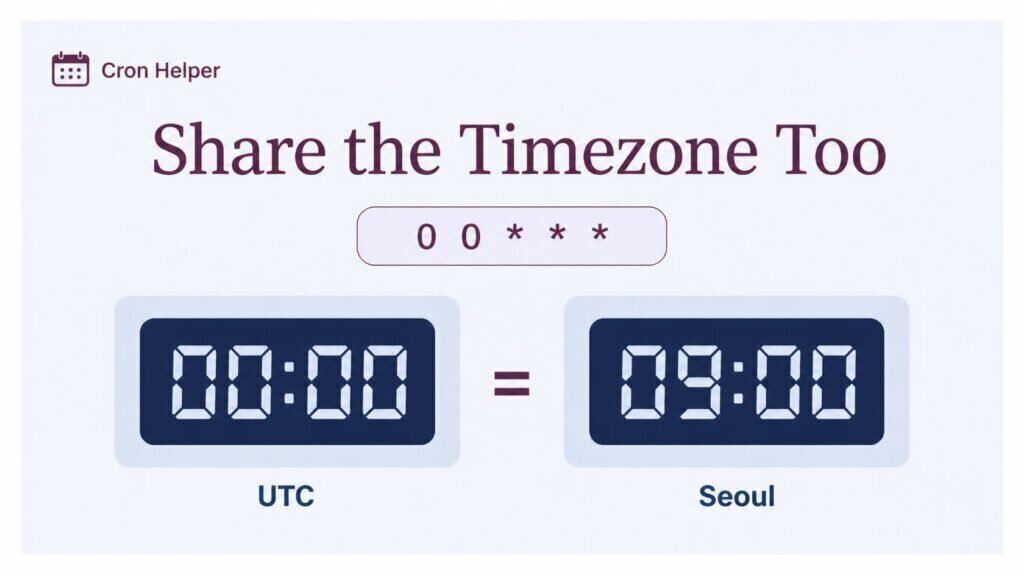
In this example, 00:00 UTC is 09:00 in Seoul on the same date. Midnight in Seoul is 15:00 UTC on the preceding date. A handoff that says only “daily at midnight” leaves that distinction unresolved.
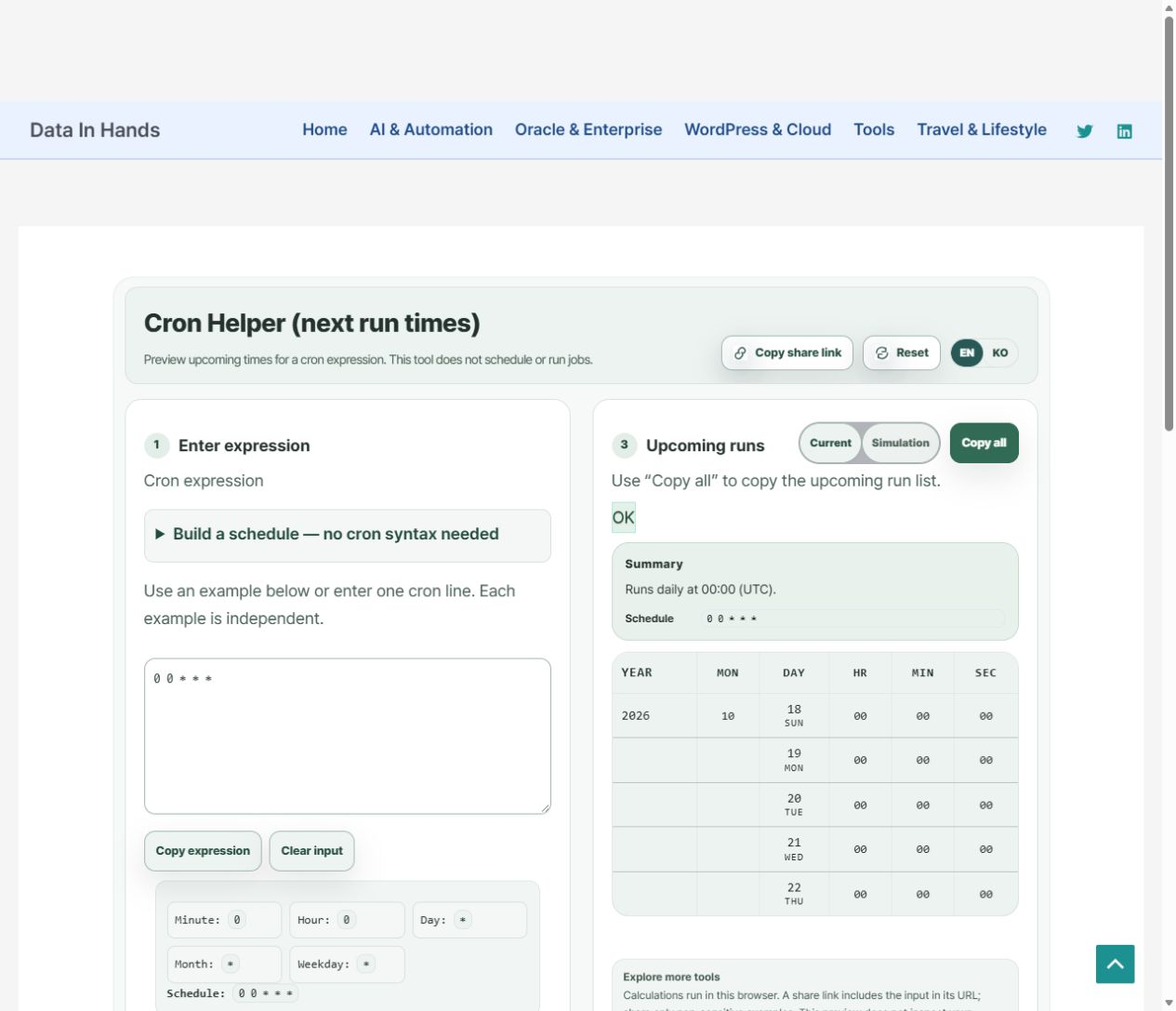
Enter the expression, select UTC and compute the upcoming runs. Check the UTC label in the summary as well as the 00:00 values in the list. A timestamp copied without its basis is easy for someone else to read as local time.
Changing the basis is not converting the expression
When the browser is in Asia/Seoul, selecting browser time interprets the unchanged expression as Seoul midnight. It does not rewrite a UTC-midnight schedule into an equivalent local-time expression. Identical field values with different time bases do not necessarily select the same moments.
The displayed browser zone also changes with the environment. Do not assume this tool provides an arbitrary multi-city timezone engine. For meeting-time comparisons across regions, a separate tool such as When2Overlap addresses a different task.
Make the handoff reproducible
- Expression:
0 0 * * *, five fields. - Intention: daily at 00:00 UTC, which is 09:00 the same day in Seoul.
- Review conditions: the selected starting point and upcoming-run list.
- Target: the actual scheduler and its timezone configuration still need confirmation.
Use “Copy expression” for the schedule and “Copy all” for the run list. A share link includes the input in its URL, so use synthetic examples and leave secret-bearing production commands out of the handoff.
Verify execution in the target environment
This review does not certify daylight-saving behavior or every scheduler dialect. Check the actual environment’s timezone, transition handling and execution records. The timezone and time-matching discussion in the Cronie documentation is a reference to compare with the installed system.
The app previews scheduled times; it does not change the server’s timezone or register a job. Start by making the intended time basis unambiguous, then handle deployment and runtime checks separately.
Check the UTC interpretation before sharing your schedule.