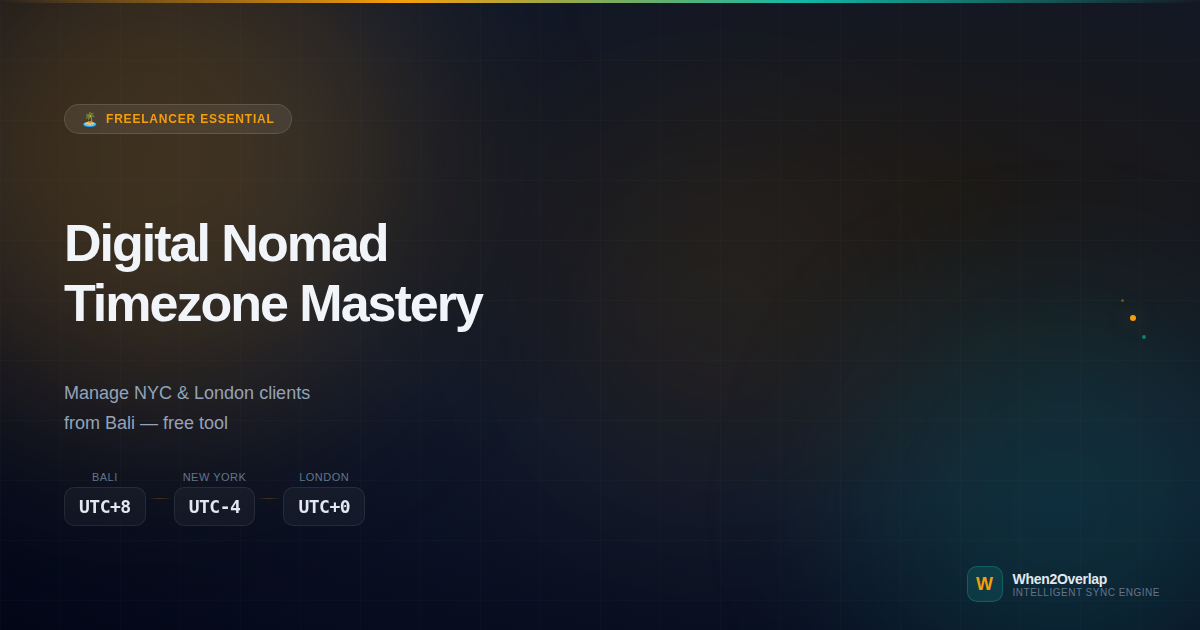
The Easiest Way for Digital Nomads to Manage Client Timezones
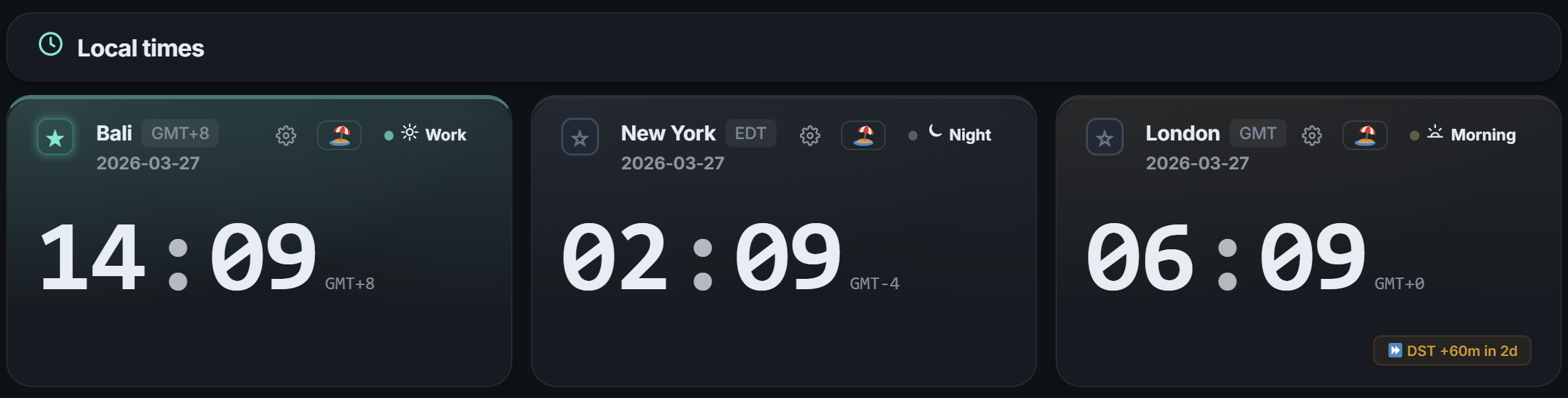
It's 2 PM at your Bali co-working space. That means 2 AM in New York and 6 AM in London. "Can I message them right now?" — if you're doing this mental math multiple times a day, this post is for you.
The Freelancer's Timezone Hell
"Which timezone am I even in right now?"
If you manage clients across 2+ timezones, timezone math becomes part of your job. When you're a digital nomad moving between cities, you sometimes lose track of your own local time. And the moment you send "Sorry, I miscalculated the time" to a client — trust takes a hit.
Three core frustrations of freelancer timezone management:
First, every client has different work hours. Client A works 9–5, Client B works 10–7, Client C has flexible hours. Managing each one's "available window" simultaneously in your head exceeds human capacity.
Second, when you move, all calculations break. The time difference to New York from Seoul is different from the difference from Bali. Every time you change cities, you need to recalibrate your mental timezone map.
Third, context switching between clients. After finishing a meeting with Client A, you want to reach Client B — but "is it even business hours there right now?" That quick check happens 5–10 times per day.
How When2Overlap Solves This
When2Overlap is a free web tool that lets you set custom work hours per client timezone and switch between presets in one click. Two features are especially powerful for freelancers and digital nomads.
Work Hours Override
Set individual work hours for each timezone. Client A is 9–5, Client B is 10–7 — adjust with a slider in 30-minute increments.
Preset Saving & One-Click Switch
Save "NYC Client" and "London Client" presets. When switching clients, one click loads the entire timezone map.
NOW Line — Real-Time Check
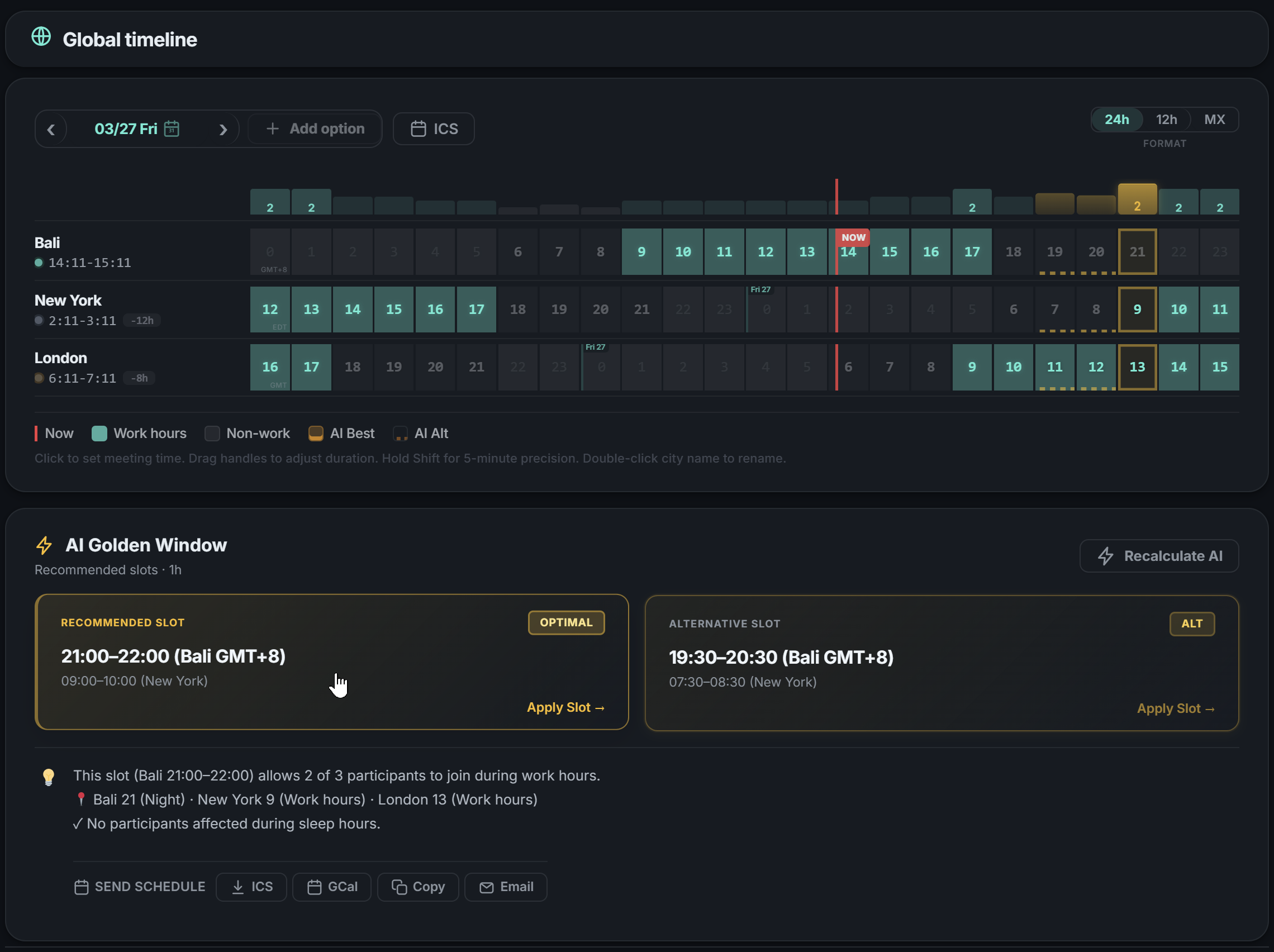
A red vertical line on the heatmap shows "right now" across all timezones instantly.
AI Best-Time Recommendation
AI automatically finds common available slots across multiple client timezones.
Real Workflow: Managing NYC + London from Bali
Here's how to manage a New York (EDT, UTC-4) client and a London (GMT, UTC+0) client simultaneously from Bali (WITA, UTC+8).
Add Your Timezone + Client Timezones (30 seconds)
Open When2Overlap and add Bali, New York, and London. The heatmap instantly shows where work hours overlap across all three. The NOW Line displays "NYC: 2 AM, London: 6 AM" right away.
Override Work Hours Per Client (1 minute)
Your NYC client works standard 9–5. Your London client works flexibly, 10 AM–7 PM. Adjust each timezone's work hours with the slider — the heatmap recalculates overlap instantly based on actual availability.
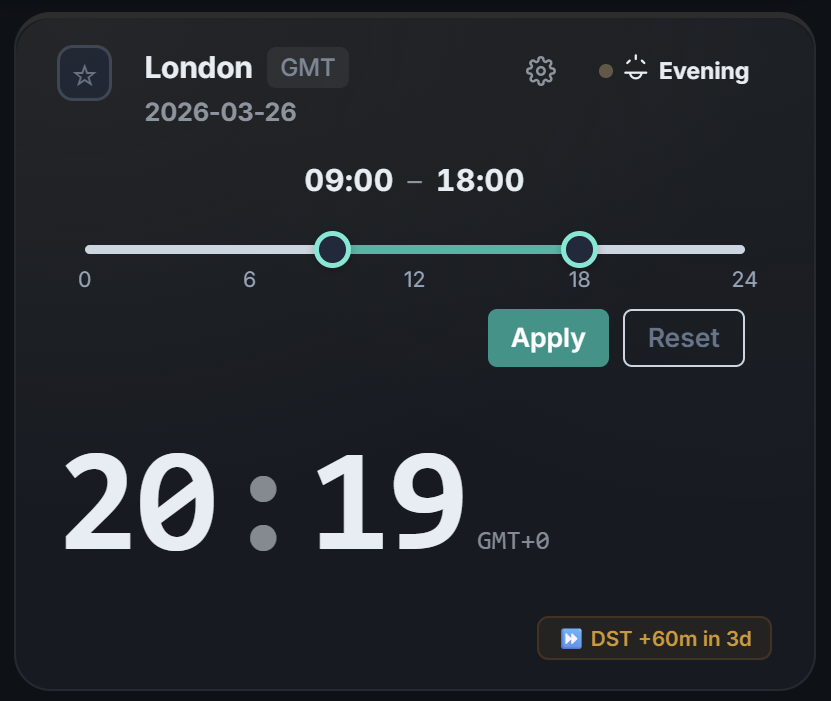
💡 Tip: Overrides support 30-minute increments. If your client says "I start at 9:30," set it precisely.
Save as Preset (30 seconds)
Save this configuration as "NYC + London from Bali." Moving to Chiang Mai next month? Change your timezone and save "NYC + London from Chiang Mai" — client settings carry over.
Daily Use: One-Click Client Switching (5 seconds)
Morning NYC work → load "NYC" preset → NOW Line confirms whether it's business hours there. Afternoon London work → load "London" preset → instant context switch. No mental math required.
"One preset switch eliminated the 'what time is it there?' calculation entirely. I have three clients across three continents and zero timezone mistakes."
Why This Is Built for Digital Nomads
Your settings travel with you. When you move from Bali → Chiang Mai → Lisbon, just update your timezone. Client timezone configurations stay intact. No need to rebuild from scratch.
Everything lives in the URL. Presets are encoded in the URL. Bookmark a client-specific URL in your browser, and each new tab opens directly to that timezone map. No app install. No login.
Meeting proposals made simple. When you need to propose meeting times to a client, pick 2–3 AI-recommended slots and share via URL. The client sees everything converted to their timezone automatically.
A Day in the Life: Alex in Bali
Alex is a freelance designer working from Bali. He manages an NYC startup (EDT) and a London agency (GMT) simultaneously.
09:00 WITA — Opens When2Overlap, loads "NYC" preset. NOW Line: New York 21:00 (previous evening). After hours. Posts async deliverables to Slack.
14:00 WITA — Switches to "London" preset. NOW Line: London 06:00. Business hours starting soon. Checks AI recommendation for call window → proposes London 10:00 (Bali 18:00) via multi-slot URL.
21:00 WITA — Switches back to "NYC" preset. NOW Line: New York 09:00. Business hours! Live call for feedback on yesterday's deliverables.
Result: Times Alex calculated timezones in his head: 0. Preset switches: 3. Timezone miscalculation incidents: 0.
Get Started
Stop Calculating Client Timezones
Free. No installation. No login required.
Create your first client preset in 30 seconds.
When2Overlap is a free AI-powered timezone scheduler available at datainhands.com.