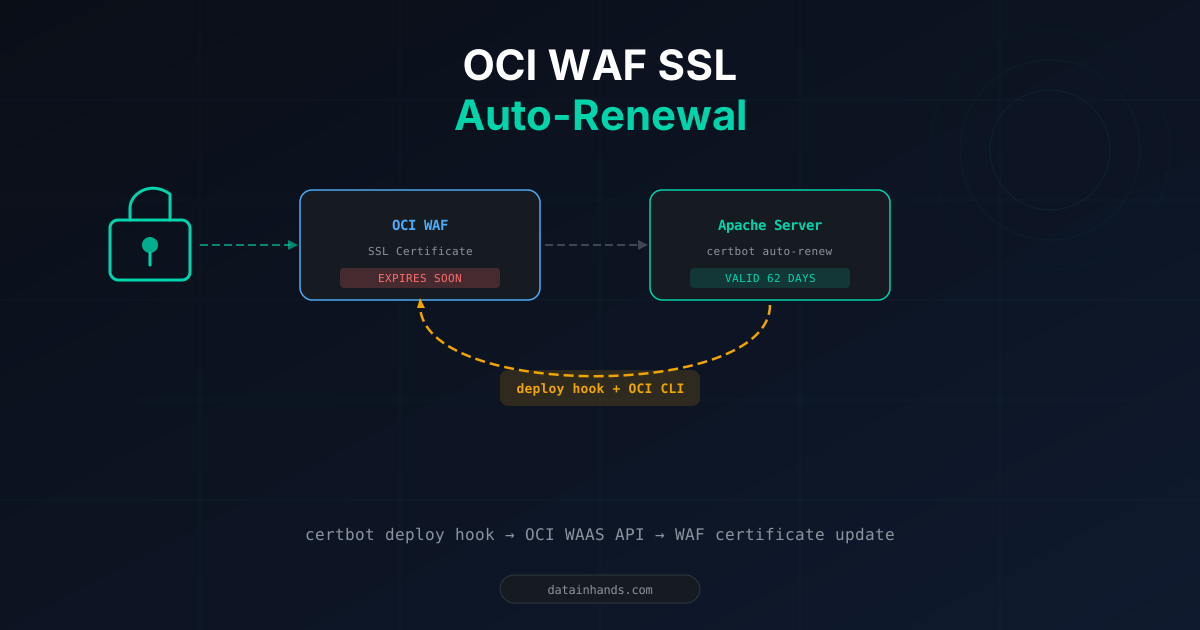
OCI WAF (Web Application Firewall) provides DDoS protection and automatic HTTP-to-HTTPS redirects. But there's a hidden trap: SSL certificate renewal.
While certbot automatically renews server-side Let's Encrypt certificates, the WAF certificate must be uploaded separately. Forget this, and your site goes down without warning.
This guide walks through a real production incident where a WAF certificate was 2 days from expiry, and how we built full automation with certbot deploy hooks and OCI CLI.
The problem: dual certificate architecture
Even when certbot renews the server certificate, the WAF certificate remains unchanged. If the WAF cert expires, the site becomes inaccessible — regardless of the server cert status.
Diagnosis
# Server certificate status
sudo certbot certificates
# Expiry Date: 2026-05-21 (VALID: 62 days) ← OK

# Deploy hooks exist?
sudo ls -la /etc/letsencrypt/renewal-hooks/deploy/
# Empty ← No automation

# OCI CLI available?
oci --version 2>/dev/null || echo "OCI CLI not installed"
# Not installed ← Can't call API
WAF certificate status: check in OCI Console → WAF Policies → Policy → Settings → SSL certificate expiration date.
Emergency fix: manual certificate upload
sudo cp /etc/letsencrypt/live/domain/fullchain.pem /home/opc/
sudo cp /etc/letsencrypt/live/domain/privkey.pem /home/opc/
sudo chown opc:opc /home/opc/*.pemscp opc@server-ip:~/fullchain.pem ./
scp opc@server-ip:~/privkey.pem ./WAF Policy → Settings → Edit → Upload or paste certificate and private key → Files → upload fullchain.pem + privkey.pem → Save changes.
Do not check Self signed certificate — Let's Encrypt is a public CA.
Permanent fix: OCI CLI + certbot deploy hook
Install OCI CLI
# Oracle Linux 8
sudo yum install -y python36-oci-cli
oci --version
Configure OCI CLI
Check for existing config first:
cat ~/.oci/config 2>/dev/nullIf missing or authentication fails, run oci setup config. Required values:
| Field | Where to find |
|---|---|
| User OCID | OCI Console → top-right avatar → My profile → OCID Copy |
| Tenancy OCID | OCI Console → avatar → Tenancy → OCID Copy |
| Region | Top-right of console (e.g., ap-chuncheon-1) |
Register the generated public key in OCI:
cat ~/.oci/oci_api_key_public.pem
# Copy output → My profile → API keys → Add API key → PasteThe deploy hook script
sudo tee /etc/letsencrypt/renewal-hooks/deploy/upload-to-waf.sh << 'SCRIPT'
#!/bin/bash
LOG="/var/log/waf-cert-upload.log"
OCI="/usr/bin/oci --config-file /home/opc/.oci/config"
WAF_ID="<WAF_POLICY_OCID>"

echo "$(date) ==============================" >> "$LOG"
echo "$RENEWED_DOMAINS" | grep -q "yourdomain" || { echo "$(date) Skip" >> "$LOG"; exit 0; }

CERT_PATH="$RENEWED_LINEAGE/fullchain.pem"
KEY_PATH="$RENEWED_LINEAGE/privkey.pem"
COMPARTMENT_ID=$(${OCI} waas waas-policy get \
    --waas-policy-id ${WAF_ID} \
    --query 'data."compartment-id"' --raw-output)

# 1. Create certificate resource
CERT_RESULT=$(${OCI} waas certificate create \
    --compartment-id "$COMPARTMENT_ID" \
    --certificate-data "$(cat ${CERT_PATH})" \
    --private-key-data "$(cat ${KEY_PATH})" \
    --display-name "auto-$(date +%Y%m%d%H%M%S)")

CERT_OCID=$(echo "$CERT_RESULT" | \
    python3 -c "import sys,json; print(json.load(sys.stdin)['data']['id'])")

# 2. Attach to WAF policy
${OCI} waas waas-policy update \
    --waas-policy-id "$WAF_ID" \
    --policy-config "{\"certificateId\":\"${CERT_OCID}\",\"isSniEnabled\":true,\"isHttpsEnabled\":true,\"isHttpsForced\":true,\"tlsProtocols\":[\"TLS_V1_2\",\"TLS_V1_3\"]}" \
    --force >> "$LOG" 2>&1

echo "$(date) Done: $CERT_OCID" >> "$LOG"
SCRIPT

sudo chmod +x /etc/letsencrypt/renewal-hooks/deploy/upload-to-waf.sh
Gotchas
| Error | Cause | Fix |
|---|---|---|
| certificateData is not valid | Using file:// format | Use $(cat file) instead |
| No such option: --config | WAAS API uses different param name | Use --policy-config |
| Update shows no change | Async processing (up to 15 min) | Check with oci waas work-request get |